
Chrome Extension
Build and Validate Names Without Leaving Google Ads or Meta Ads
The gap between "we have a naming convention" and "the team actually follows it" is usually a tab switch away. The UseTaxonomy Chrome extension puts the builder and validator directly in the campaign editor, so following the taxonomy is the path of least resistance.
Why naming rules break down in practice
Even a well-documented taxonomy fails when following it requires extra steps: opening a spreadsheet, copying a template, checking a dashboard in another tab. Under deadline pressure, that friction is exactly when names get typed by hand and rules get skipped.
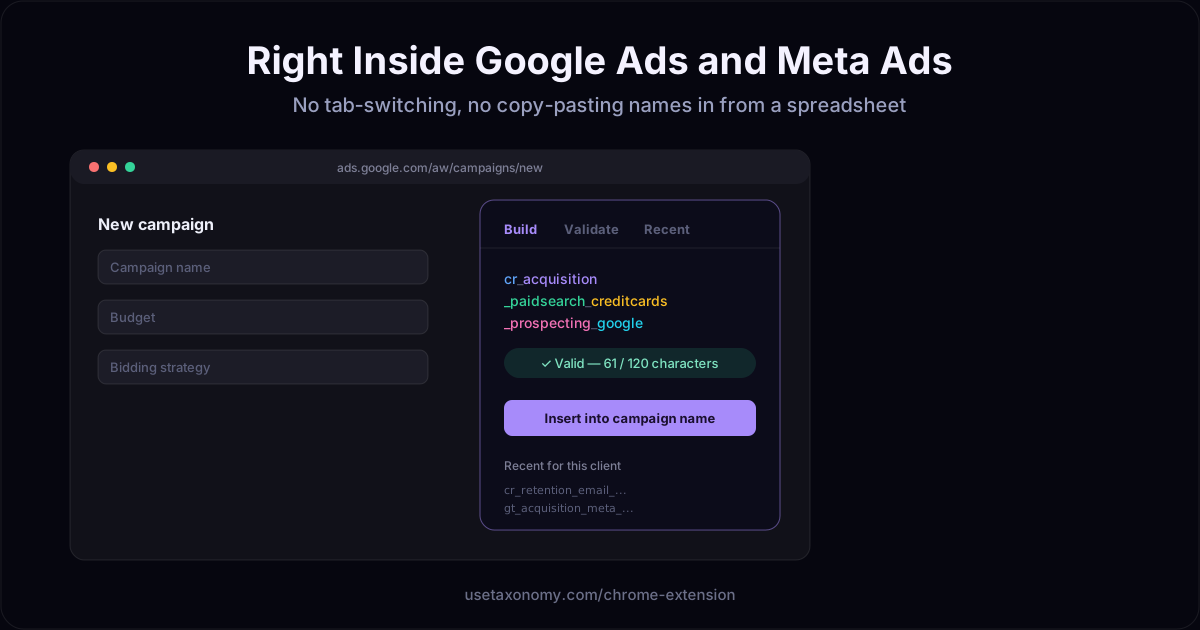
What the extension does
Build
Select controlled values for each field and generate a compliant name in place.
Validate
See character count, missing fields, and compliance status before you submit.
Recent
Reference or reuse recently generated names for the active client.
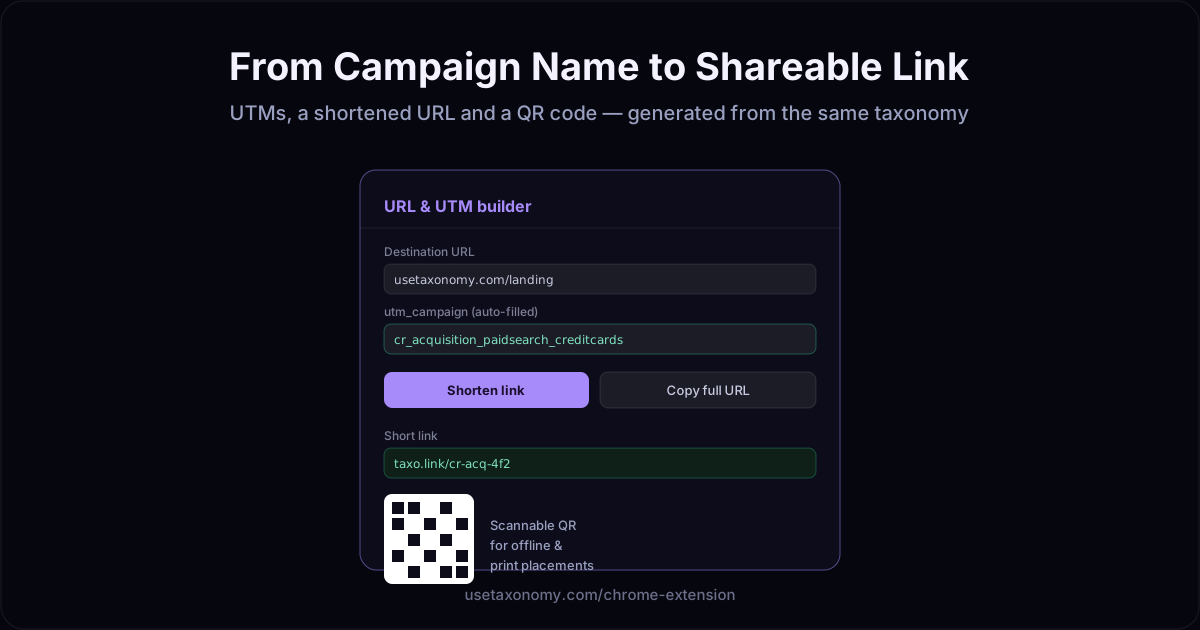
URL & QR
Turn the name into a UTM link, shorten it, and generate a QR code.
One taxonomy, wherever you build campaigns
The extension reads the same campaign taxonomy and controlled dictionaries as the web app — per client, per platform. A name built in the extension on Google Ads follows the identical rules as one built on Meta Ads or in the web builder, so reporting stays comparable across every surface your team touches.
Who this is for
- Paid media traffickers building multiple campaigns a day across platforms
- Agencies where junior team members need guardrails, not just documentation
- Teams that keep a naming spreadsheet open in a second monitor — and want to close it
Chrome extension: frequently asked questions
What does the UseTaxonomy Chrome extension do?
It opens a panel directly inside Google Ads and Meta Ads while you create or edit a campaign, ad set, or ad. You build the name from your taxonomy's controlled values, see it validated in real time, and insert it into the platform's name field — without switching tabs or checking a spreadsheet.
Which platforms does it work on?
Google Ads and Meta Ads (Facebook & Instagram Ads campaign manager). The same taxonomy and validation rules apply on both, so names stay comparable across platforms.
Does it also help with UTM links?
Yes. The extension includes a URL panel that builds a UTM-tagged link from the generated name, shortens it, and generates a QR code — useful for offline or print placements — all from the same session.
Do I need to log in to the web app to use the extension?
The extension picks up your existing UseTaxonomy web session, so once you are signed in on usetaxonomy.com in the same browser, the extension panel is ready to use.
Can I see recently used names?
Yes. The extension shows recent names generated for the active client, so you can reuse or reference a recent campaign, ad set, or ad name without leaving the ad platform.
Does it prevent invalid names from being submitted?
It validates the name against your taxonomy — required fields, allowed values, order, and character limits — and shows the result before you insert it. It does not block Google Ads or Meta Ads directly; the validation happens in the extension panel so you catch issues before submitting the form.
Is it available for teams, or just individual use?
It uses the same multi-client taxonomy and dictionaries as the web app, so an entire team or agency working across multiple clients sees the same controlled values and rules in the extension, per client.
Make the compliant name the easy name
Build, validate, and share tracked links — without leaving Google Ads or Meta Ads.
Get the extensionSee UTM taxonomy →