
AI Taxonomy Fixer
Fix Years of Inconsistent Campaign Names — Not Just New Ones
Most naming tools only help with campaigns you have not built yet. The AI Taxonomy Fixer looks backward: it analyzes your historical campaign names, suggests corrected, taxonomy-compliant versions, and learns the abbreviations your team already uses — so cleanup gets faster the more you approve.
The backlog problem no naming convention solves
You can write the perfect naming convention today and still be sitting on thousands of historical campaigns named however was convenient at the time. That backlog:
- Cannot be grouped or compared in dashboards or Marketing Mix Modeling
- Makes year-over-year and cross-market analysis unreliable
- Gets manually renamed by hand, a few campaigns at a time, if it gets fixed at all
- Blocks a clean historical baseline when adopting a new taxonomy
How the AI Taxonomy Fixer works
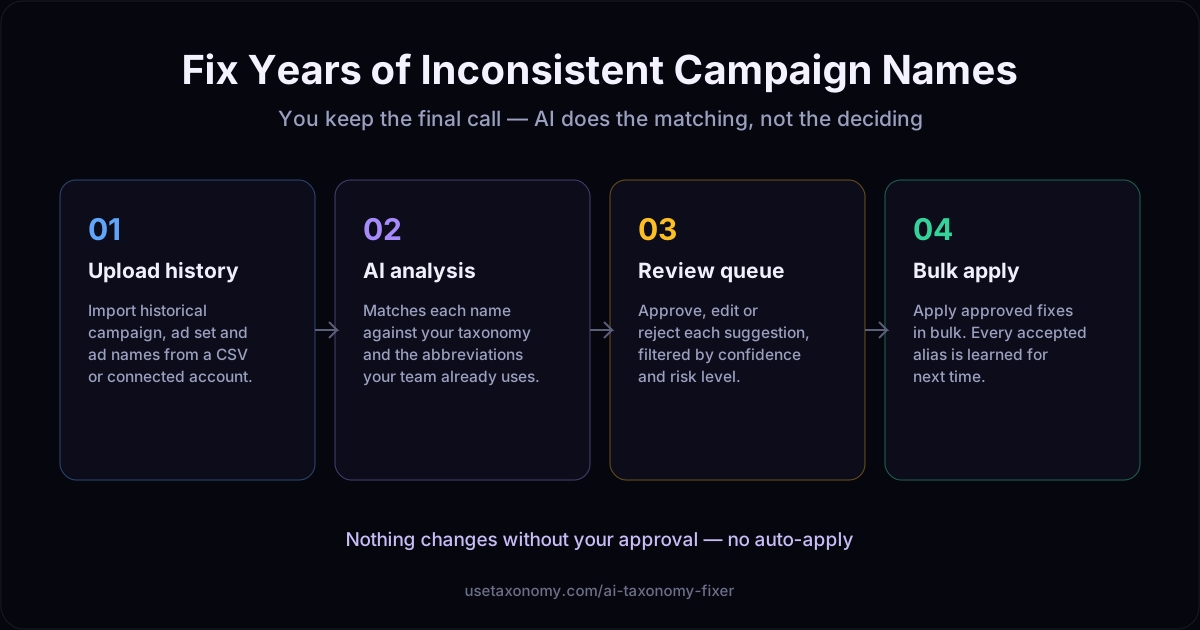
1. Upload history
Import historical names from a CSV or a connected Google Ads account.
2. AI analysis
Each name is matched against your taxonomy and previously learned aliases.
3. Review queue
Approve, edit, or reject suggestions — filterable by confidence and risk.
4. Bulk apply
Apply approved fixes at once. Approved mappings are learned for next time.
Alias learning: it gets faster, not just once
Every approved suggestion teaches the system how your specific team abbreviates products, audiences, and objectives. The second batch of historical campaigns you clean up benefits from every decision made on the first — instead of the AI guessing from a generic model every time.
Who this is for
- Teams adopting a campaign taxonomy who do not want to leave years of history unclassified
- Agencies inheriting an account with no naming history to speak of
- Analytics teams preparing historical inputs for Marketing Mix Modeling
- Anyone who has said "we'll clean that up eventually" about their campaign names
AI Taxonomy Fixer: frequently asked questions
What does the AI Taxonomy Fixer actually do?
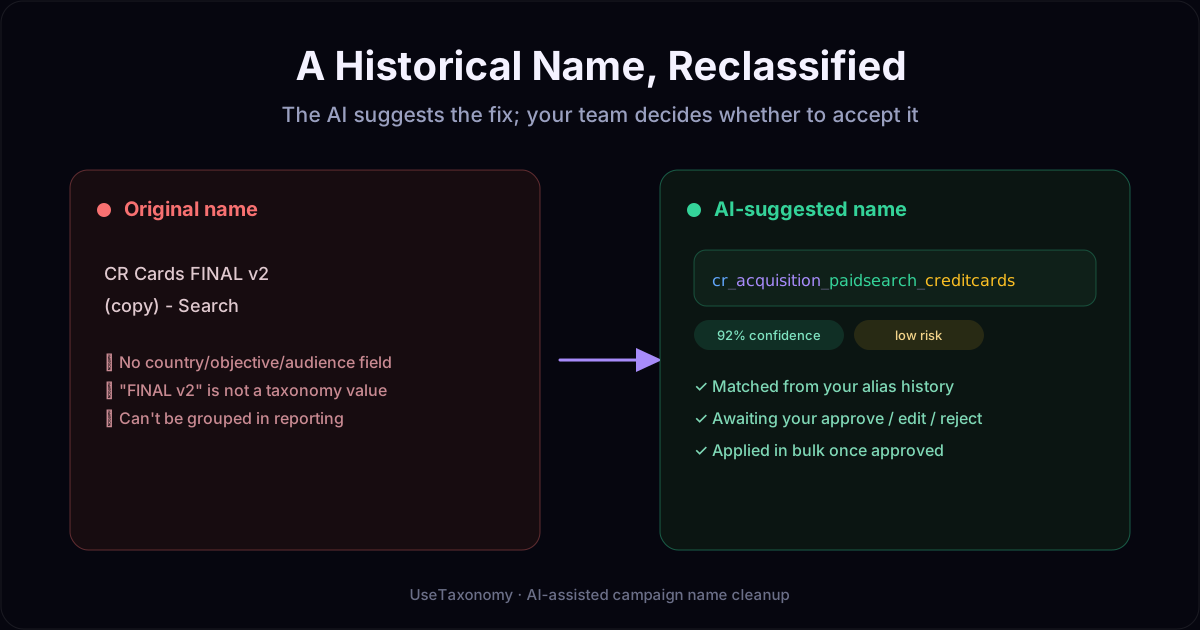
It analyzes your historical campaign, ad set, and ad names against your taxonomy rules and suggests a corrected, compliant name for each one — with a confidence score and risk level. You review each suggestion before anything is applied; nothing is auto-changed.
How does it handle names that do not fit the taxonomy at all?
Names that cannot be confidently classified are flagged for manual review rather than force-fit into a category. The goal is accurate reclassification, not guaranteed automation of every historical name.
What is alias learning?
Every time you approve a suggested mapping, the system remembers it — so if your team has always abbreviated "acquisition" as "acq" or a product as "TDC", future suggestions for similar names reuse that learned alias instead of guessing again from scratch.
Will it change my live campaigns in Google Ads or Meta Ads?
No. The Fixer works on the names as data — the review queue and bulk apply update the records in UseTaxonomy. Renaming a live campaign in Google Ads or Meta Ads is a separate, deliberate step you take using the platform's own tools once you have the corrected name.
How is this different from just building names correctly going forward?
The builder and validator prevent new inconsistency. The AI Taxonomy Fixer addresses the opposite problem — the years of campaigns already named inconsistently before you had a governed taxonomy. Most teams need both: a forward-looking standard and a way to deal with the backlog.
What input format does it accept?
A CSV export of historical campaign, ad set, or ad names — including from a connected Google Ads account. You map the relevant columns (name, platform, spend, dates) before analysis runs.
Can I reject a suggestion instead of accepting it?
Yes. Every suggestion in the review queue can be approved, edited, or rejected individually, and you can filter the queue by confidence or risk level to review the easy cases quickly and focus attention on the ambiguous ones.
Does this replace the need for a taxonomy in the first place?
No — it depends on one. The Fixer classifies historical names against the taxonomy you have already defined in UseTaxonomy. If you have not built a taxonomy yet, start with campaign taxonomy setup first.
Your naming backlog does not have to stay messy
Upload your history, review the suggestions, and apply what you approve — in bulk.
Clean up your campaign historySee Campaign Taxonomy →